VoIP Toolbox can already pull SIP call flows out of a PCAP, directly in the browser. The latest update runs sipright over every SIP message. This gives a high level good/warning/bad call indicator, aiming to make problematic parts of a capture stand out at a quick glance.
A quick SIP sanity pass
sipright is a small SIP (and SDP) parsing and validation library. Broadly it highlights three types of issues:
- failures: Critical syntax errors that violate RFC 3261 or prevent the message from being parsed correctly.
- warnings: bad-form SIP or SDP issues that can cause problems.
- information: Valid parts of the message that might be considered unusual.
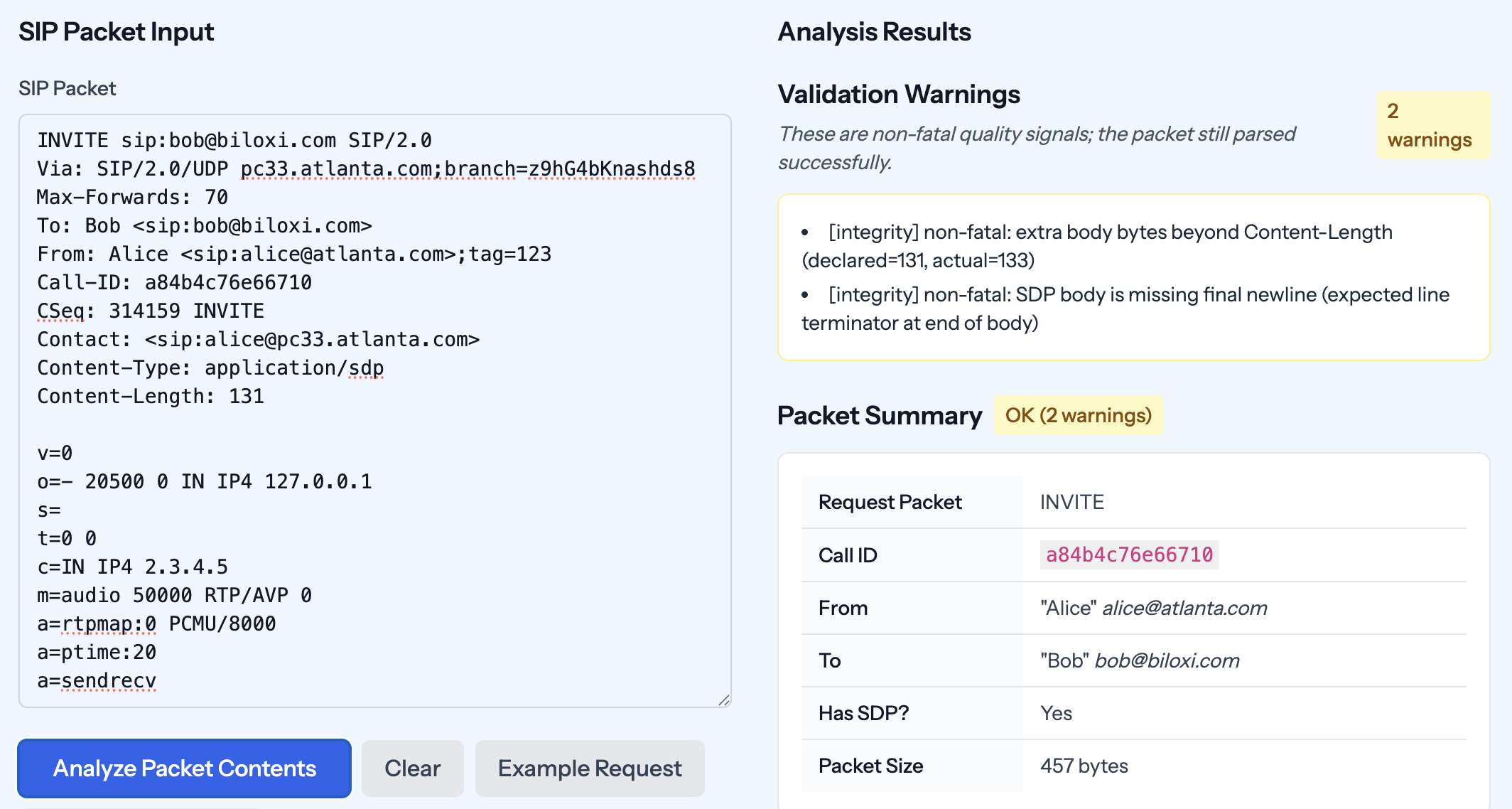
Pass / warning / fail indicators overlaid on a SIP call flow. This example has a couple of warnings.
Making It Useful (Local PCAP Analysis)
Single packet analysis is fine, but it’s typically more useful looking at all the SIP messages in a call at once. VoIP Toolbox has a PCAP analysis feature just for this purpose.
Once loaded in to your browser, VoIP Toolbox extracts all the SIP messages, groups them into calls, then runs sipright against each message in each call. The aggregate results are then shown:
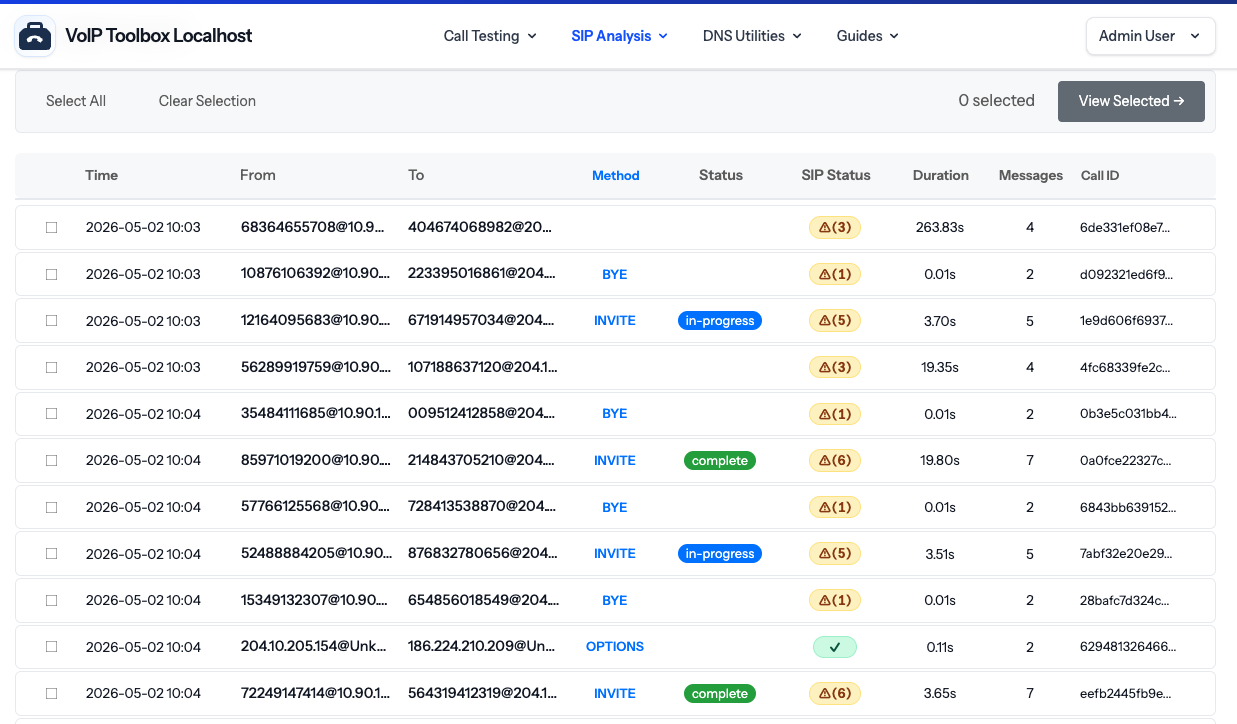
List of calls and sipright results.
You can dive deeper by clicking into a call, seeing a flow diagram of individual messages. Each SIP message has its own sipright results.
Try it
- Single SIP packet analysis voiptoolbox.net/utils/packet
- Analyze a PCAP now (no upload required) voiptoolbox.net/sip-viewer
- sipright library github.com/mfalkus/sipright
If you want to drive the checks yourself, sipright is designed to be used as a plain JS library in your own tooling.
Suggestions for additional checks are always welcome, you can reach out via this blog, VoIP Toolbox or raise an issue direct on sipright’s repo.