Who doesn't love a bargain on eBay? A brief blog post about building a micro website that gives a raw results view of what's ending soonest in one or more eBay categories.
eBay Website Problems and Solutions
Let’s say you are browsing eBay and looking for a bargain. Here are some ideas on how to get a deal:
- Use the ‘make an offer’ button (if available) and try to convince a seller to accept your price.
- Search for items that have just been listed and are ‘Buy It Now’. It’s possible they’ve been listed for below market value and you are the first to notice.
- Search for auction items that are just about to finish. Ideally no (or low) bids, and no reserve set.
- Search for items in the wrong categories - maybe someone listed it incorrectly in a way that others will miss.
All good strategies.
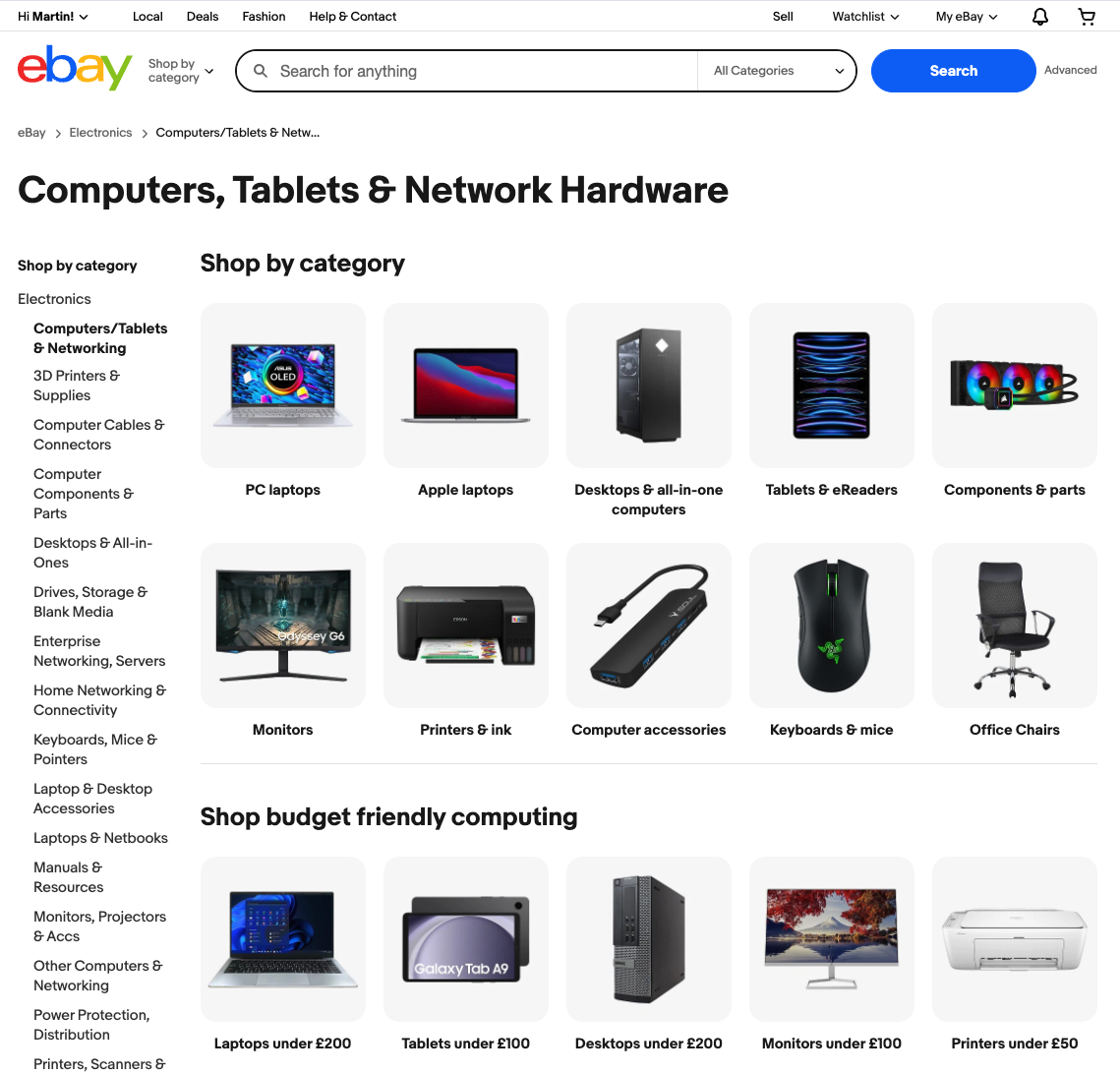
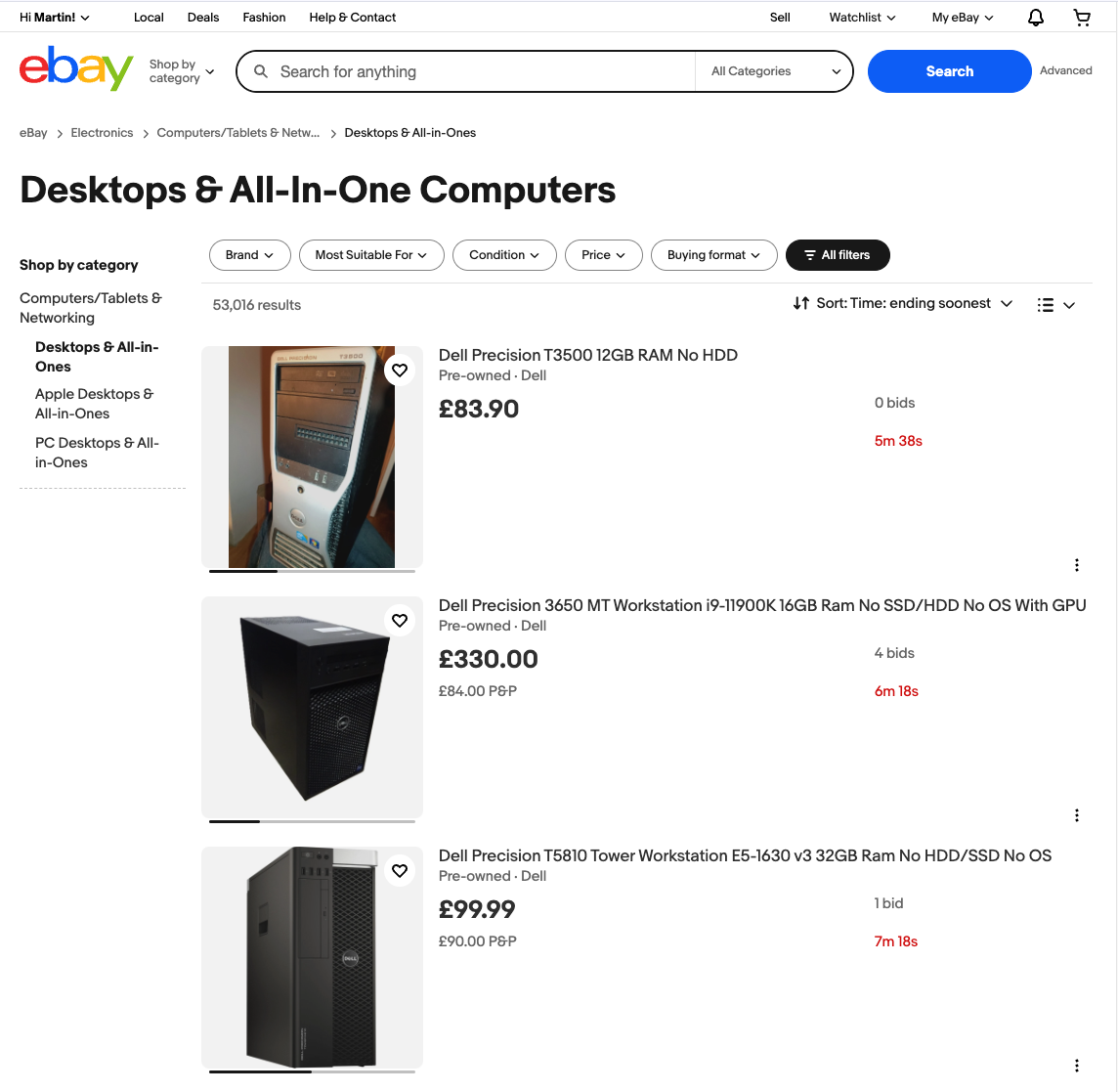
eBay wants me to be more specific, then doesn't show me many items...
This morning I made a micro website, eBay - what’s ending soon?, available on GitHub. This was to try and look for items that belong to those last two points.
I want to browse by category, possibly a top-level category, and just look at a raw feed of what’s ending soon. This is surprisingly tricky on the eBay website. e.g. if I want to view everything for the top level “Computers, Tablets & Network Hardware” I get a page that funnels me towards a sub category.
Even if I do then select a category, I’m only seeing three results above the page fold. You can do a ‘Gallery View’, which shows more items, say 8 instead of 3, but as the items now aren’t in a table a quick title or cost comparison is even harder.
Another scenario is, I might want to search ‘mac mini’ over that top level “Computers, Tablets & Network Hardware”, but searching ‘mac mini’ on eBay auto drops me in to the “Apple Desktop and All-In-One” sub category.
I can understand why the above behaviour is in place. For most people this is helpful. However, to find deals that others have missed we need to look where they aren’t looking.
Making A Simpler eBay Search
Enter eBay - what’s ending soon?. The eBay viewer is much simpler. It doesn’t try and give you a fancy interface, it just shows you a raw view of what’s available for whatever category you select. It highlights items that are ending soon with no bids that match your search criteria.
The other tweak compared to normal eBay search is a ‘total price’ column that includes postage. In a world of “£1.00 + £40.00 shipping” tricks it’s the total price that matters.
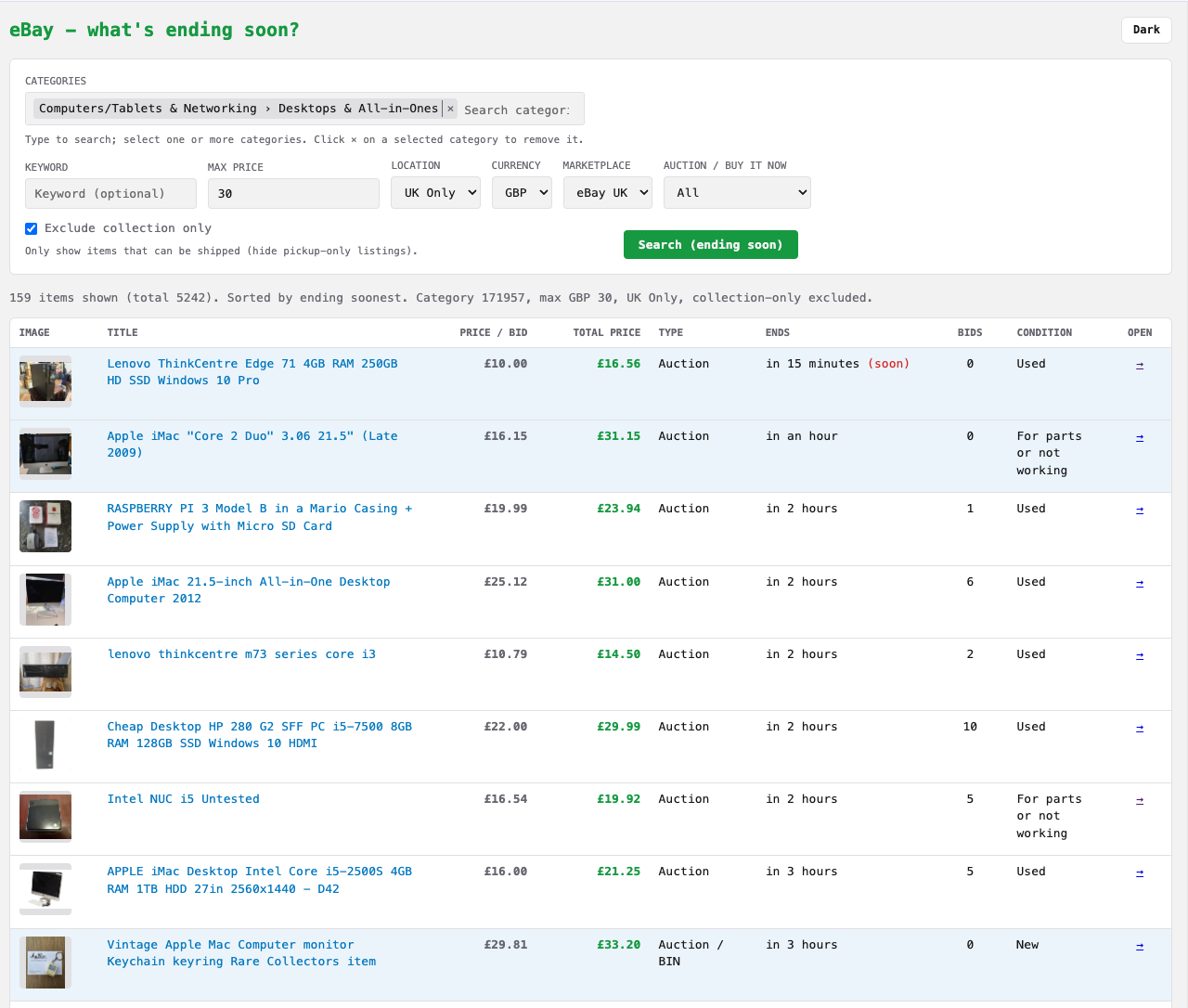
eBay Results Unfiltered - A classic table view
I’ve already spotted some interesting items come and go for what I think is a chunk below market price. I’m sort of on the hunt for a small (and near silent) desktop I can run at the office as a simple server. Possibly another monitor as well. For both I’m very flexible on make/model/spec, so hopefully browsing by category will uncover some interesting options.
If you’re interested in the code or eBay API more details are available in the GitHub repo readme. The eBay API has been easy to work with, although one gotcha is by default it’s 5k API requests per day. Fine for hobby usage but if you want production traffic to your eBay app you’ll need to contact them for bigger limits.